Truxton Extreme PC System Requirements
Steam minimum specs and practical hardware guidance.
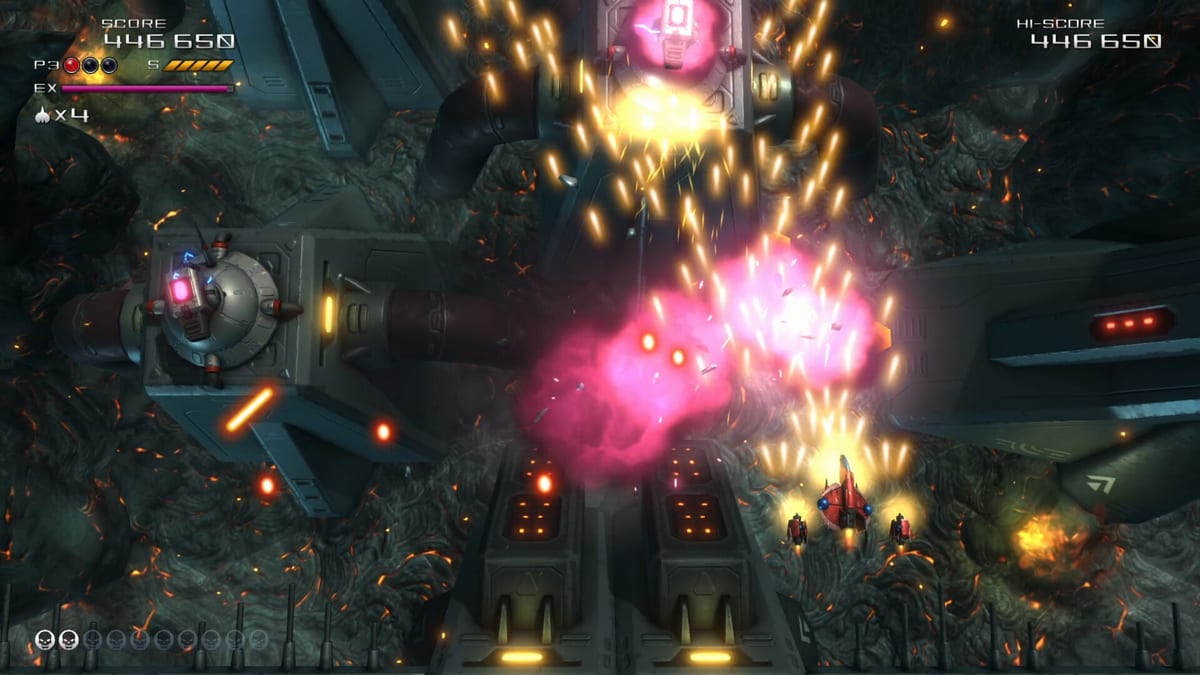
PC platform overview
Truxton Extreme launches on Steam and GOG for Windows alongside console versions. PC players gain keyboard and controller flexibility, optional Steam Remote Play Together for co-op, and DLC music or skin packs not always bundled with physical Thunder Master CDs. Before buying on sale, verify your hardware against official minimum specifications published on the Steam store page — then read the practical notes below because one listed figure looks like a typo.
Console players on PlayStation 5, Xbox Series X|S, and Nintendo Switch 2 do not configure specs manually; this page focuses on PC but links editions for platform choice.
Steam minimum requirements (as listed)
According to the Steam store page at launch documentation:
| Component | Minimum specification |
|---|---|
| OS | Windows 10 (64-bit) |
| Processor | Intel Core i5-7300HQ @ 2.5 GHz |
| Memory | 16 MB RAM (as published on Steam) |
| Graphics | DirectX 12 compatible GPU |
| Storage | 8,000 MB (~8 GB) available space |
| Sound Card | N/A listed |
Steam also notes 64-bit processor and operating system required. Recommended specifications section existed but listed only the 64-bit requirement publicly at preview time — check the live store page for updates if a fuller recommended tier appears post-launch.
The 16 MB RAM listing
Sixteen megabytes of RAM is almost certainly a storefront typo — modern Windows titles cannot run meaningfully on 16 MB. Comparable indie arcade shooters typically expect 8 GB RAM or more even when minimum labels stay conservative. Treat 16 MB as an publishing error until Tatsujin or Clear River patches the Steam page.
Practical guidance:
- 8 GB system RAM — bare minimum for Windows 10 plus a game in 2026; close background browsers.
- 16 GB system RAM — comfortable default for Steam clients, overlays, and Discord without stutter.
- 32 GB — only needed if you stream or capture locally while playing Arena score runs.
If install fails or stutter appears despite meeting CPU/GPU labels, check RAM usage in Task Manager before blaming the shmup engine.
CPU: Core i5-7300HQ context
The listed i5-7300HQ is a mobile quad-core from the Kaby Lake generation commonly found in 2017 gaming laptops. It remains capable for 2D/3D hybrid arcade shooters that prioritize stable frame times over massive open worlds. Desktop CPUs from Ryzen 5 or Core i5 generations equal or newer should handle Truxton Extreme if paired with a reasonable GPU.
Laptop users on battery saver modes may throttle below 2.5 GHz — plug in for consistent bullet readability.
GPU and DirectX 12
DirectX 12 compatibility implies Windows 10 version 1909 or newer with updated drivers. Integrated GPUs on recent AMD Ryzen and Intel Iris Xe hardware may run at 1080p with reduced settings if the game exposes quality toggles — verify in Options after launch.
Discrete GPUs from GTX 1050 / RX 560 tier upward should be comfortable at 1080p60, matching Nintendo Life’s praise for smooth Switch 2 performance as a baseline expectation.
Update GPU drivers before blaming input lag on keyboard controls.
Storage: 8 GB
Eight gigabytes available space is modest — standard for indie arcade titles with uncompressed audio and 3D assets. SSD recommended not for minimum compliance but for faster stage loads when retrying Arena runs repeatedly.
DLC music and skin packs add incremental download size on Steam; Thunder Master physical OST does not reduce PC install footprint.
Operating system and platform services
Windows 10 64-bit is the documented floor. Windows 11 generally runs compatible Win10 titles without issue. Steam Deck and handheld PCs work if Proton ratings are favorable — check Steam Deck compatibility badges after launch.
GOG builds omit Steam-specific Remote Play Together; local co-op still requires two controllers on one machine per co-op guide.
Network and online features
Leaderboards and potential online interactivity listed on Steam require internet for ranking submission, not for core offline Story or Arcade clears. Shared/Split Screen Co-op and Remote Play Together appear in Steam feature tags.
Console comparison for PC buyers
If your PC barely meets CPU/GPU thresholds, Switch 2 or PS5 versions offer fixed performance targets without driver tinkering — see editions pricing. PC wins on input choice and potential sale depth.
Recommended setup for shmup play
Beyond raw specs:
- Monitor with low input lag or game mode enabled
- Wired controller or keyboard for consistent polling
- Autofire and speed boost bindings configured — controls hub
- Optional arcade stick via USB for digital movement purists
Troubleshooting checklist
- Confirm 64-bit Windows and DirectX 12 drivers.
- Ignore 16 MB RAM literally; ensure at least 8 GB physical RAM installed.
- Verify eight GB free on SSD.
- Disable fullscreen optimizations if micro-stutter appears on older laptops.
- Cap background Chrome tabs during Arena grinding — scoring guide.
Will my PC run it?
If you own a gaming PC from roughly 2018 onward with a discrete GPU and 8+ GB RAM, expect smooth play barring storefront typos on the official minimum row. If you still run a HDD-only office desktop with integrated graphics from 2015, try the Steam demo if available or buy on Switch 2.
For whether the purchase is worth it regardless of specs, read review hub.
Frequently Asked Questions
Quick answers to the most common questions.
What RAM does Steam list for Truxton Extreme?
Steam publishes 16 MB RAM minimum — almost certainly a typo. Plan for at least 8 GB physical RAM in practice.
What CPU is listed as minimum?
Intel Core i5-7300HQ at 2.5 GHz on a 64-bit Windows 10 system according to Steam.
How much storage space is required?
Steam lists 8,000 MB (about 8 GB) of available space for installation.
Does the game require DirectX 12?
Yes. Steam minimum specifications list a DirectX 12 compatible graphics device.
Is there a recommended spec tier on Steam?
At launch documentation the recommended section was sparse beyond 64-bit OS. Check the live Steam page for updates.