Truxton Extreme Controls and Input Reference
Platform layouts differ — verify in Options, then refine here.
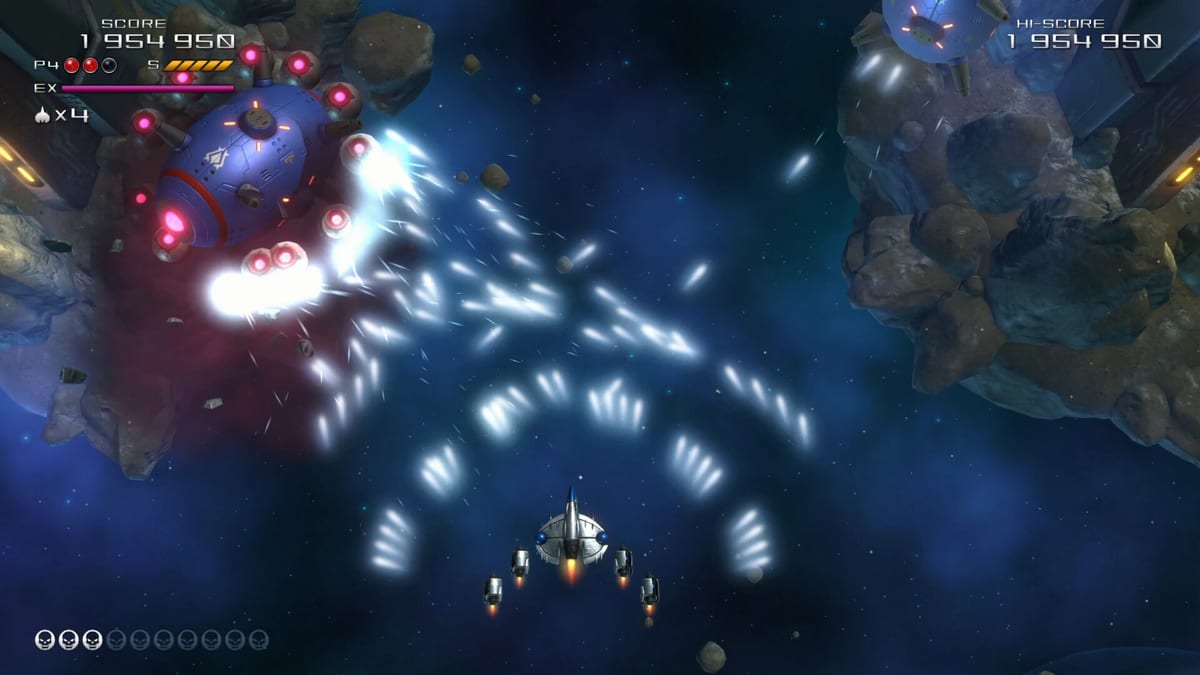
Controls matter as much as patterns
Vertical shoot ‘em ups live or die on input responsiveness. Truxton Extreme adds manual speed adjustment, optional autofire, EX activation, and classic bomb inputs on top of eight-direction movement. Exact default bindings vary between Steam, GOG, PlayStation 5, Xbox Series, and Nintendo Switch 2 builds, and you can remap many actions in Options.
This hub explains what each control concept does, then points you to platform-specific pages for typical layouts. Always confirm your in-game Options screen before a ranked run — wiki tables summarize community defaults, not immutable truth.
Core actions
Every platform supports the same mechanical verbs:
Move — steer the Javelion fighter across the lower playfield. Analog sticks offer finer motion than digital keyboards; D-pads work but feel tighter for micro-adjustments.
Shot — primary fire. Hold or tap depending on autofire settings. Without autofire, fatigue becomes real during long Arena sessions.
Bomb — screen-clearing smart bomb with iconic skull presentation. Limited stock; shared in Team co-op.
EX Shot — spends EX gauge built by destroying enemies. Temporarily supercharges your weapon and may slow movement while active.
Speed boost — manual velocity toggle or hold separate from pickup-based speed caps. Critical for threading bullet gaps and repositioning for drifting power icons.
Pause / Menu — standard system buttons. Use pause to adjust Options mid-session when learning.
Options you should check first
Before blaming controls for deaths, verify:
- Autofire on or off
- Speed boost as hold versus toggle
- Starting lives and bombs (affects ranking eligibility)
- Controller deadzones on analog sticks
- Display safe-area margins on TV setups
Reviews praise customizable challenge for casual players while warning that inflated resources disable leaderboard submission. That trade is controlled entirely through Options, not hidden codes.
Keyboard versus gamepad
PC players often prefer keyboards for digital precision or gamepads for comfort. Console players use DualSense, Xbox Wireless, or Switch Pro / Joy-Con configurations. Our dedicated pages cover each:
- Keyboard controls — WASD and arrow layouts, remapping notes, Steam Input quirks.
- Gamepad controls — face buttons, shoulders, and stick choices across platforms.
EX gauge and control timing
EX is not a separate weapon — it modifies your current shot type. Because meter fills from kills, button mashing alone cannot spam EX. You must fly aggressively enough to refill gauge without dying. Movement slowdown during EX means you should release boost toggles or slow manually before activating if you are already near bullet walls.
Pair EX timing advice with scoring strategy and boss pattern habits.
Speed systems: two layers
Truxton Extreme separates maximum speed pickups from manual boost control. Collecting speed icons raises your cap; the speed button applies boost within that cap. Classic shmup players use boost in bursts — fast reposition, then slow precision for grazing.
Bullet-hell veterans migrating from titles without speed toggles may forget the control exists. Bind it somewhere comfortable; leaving boost on a awkward shoulder button causes deaths.
Co-op control considerations
Team mode assigns Player 1 and Player 2 devices independently on PC. Console co-op requires a second paired controller before launch. Bomb rescue touches demand precise movement — see co-op guide.
Tutorial and Training
The in-game Tutorial demonstrates HUD labels for each action. Training mode, unlocked alongside Arena per mode unlock guide, lets you rehearse inputs without story pressure.
Accessibility and comfort
Autofire reduces repetitive strain. Remapping helps left-handed players. Switch 2 handheld mode may cramp thumbs during long sessions — consider pro controllers or docked play. PC players can adjust windowed resolution for input lag testing.
When bindings feel wrong
If shot fires on the wrong button after Steam Deck or Steam Input updates, reset to defaults once, then remap incrementally. If movement feels sluggish, check whether EX is active or speed boost is disengaged. If bombs trigger accidentally, move bomb off face buttons used for movement in keyboard layouts.
Related reading
Mechanics context: how to play. Purchase and platform availability: editions and system requirements. Narrative does not change inputs, but Story pacing gives more time to practice — walkthrough outline.
Frequently Asked Questions
Quick answers to the most common questions.
Are controls the same on every platform?
Actions are the same, but default bindings differ. Always verify Options on your platform and read our keyboard or gamepad pages.
Does Truxton Extreme have autofire?
Yes. Autofire can be enabled in Options on supported platforms, reducing the need to hold the shot button.
How does manual speed boost work?
Separate from speed pickups, a dedicated control temporarily increases movement speed for dodging and repositioning.
Can I remap buttons?
PC and most console versions support remapping through in-game Options. Reset defaults if Steam Input causes conflicts.
Where are keyboard defaults listed?
See the keyboard controls page for typical PC bindings and remapping tips.